



The folder every analyst recognises
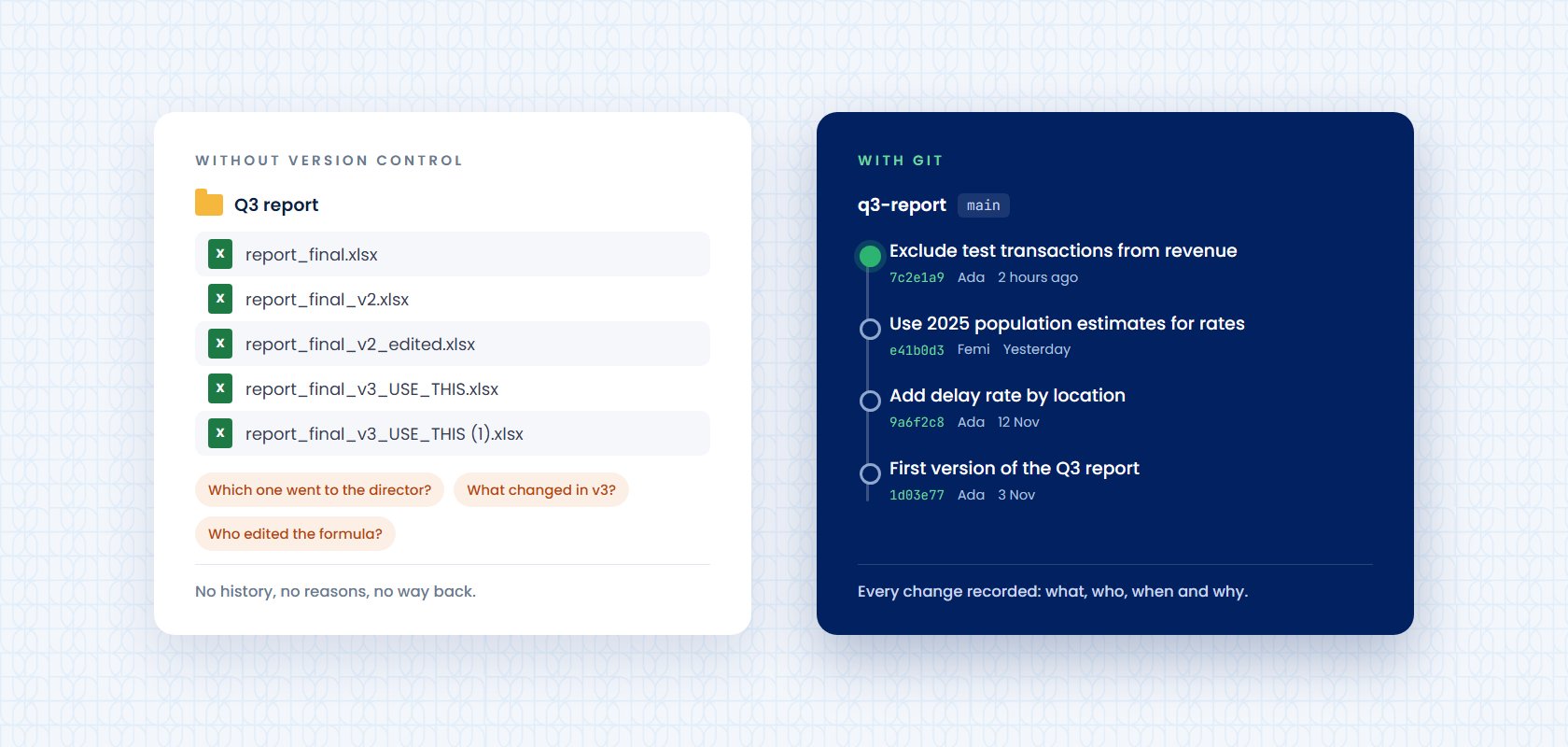
Open the shared drive of almost any data team and you will find something like this:
report_final_v2.xlsx
report_final_v2_edited.xlsx
report_final_v3_USE_THIS.xlsx
report_final_v3_USE_THIS (1).xlsx
Each file was a sensible decision at the time. Together, they create problems nobody planned for. Which version went to the director? What changed between v2 and v3? Who edited the formula that moved the total, and why? If the newest file turns out to be wrong, can you get back to the one that was right?
Version control answers those questions. It is one of the most useful habits a data analyst can build, and the tool most people use for it, Git, is free.
What version control is
Version control keeps one copy of your project and a complete history of every saved change to it. Each saved point is called a commit. A commit records what changed, who changed it, when, and a short note on why.
Instead of five files with different names, you have one project and a timeline you can scroll back through. You can compare any two points in that timeline, or return the whole project to the way it was last Tuesday.
Git is the version control tool used by most software and data teams. It runs on your computer and works on an ordinary project folder. GitHub is a website that stores Git projects online, so your work is backed up, others can work on it with you, and you can show it to employers. The two are often mentioned together, but they are different things: Git does the tracking, and GitHub hosts the result.
Five ways Git helps a data analyst
1. You can undo with confidence
Made a change that broke a query or a calculation? Go back to the last commit that worked. Because every version is kept, you can try a new approach without worrying about losing the old one.
2. You can see exactly what changed
When a number in a report moves, the first question is always "what changed?" Git can show you, line by line, the difference between two versions of a script or query. A filter that was removed or a join that was altered stands out immediately, instead of hiding in a file someone emailed you last week.
3. Your work explains itself
Every commit carries a message, and over time those messages become a record of the decisions behind your analysis: "Exclude test transactions from revenue", "Use 2025 population estimates for rates". When a manager, a donor or an auditor asks why a figure was calculated a certain way, the answer is already written down, with a date beside it.
This matters most in monitoring and evaluation work, where results often have to be reproduced months later for a review or a report.
4. You can work together without emailing files
With Git, a team shares one project instead of passing copies around. Each person can make changes in their own working copy, called a branch, and the team reviews those changes before they join the main version. Two analysts can work on different parts of the same project at once, and nobody overwrites anybody else by saving over a shared file.
5. Your work is backed up and easy to show
Once a project is on GitHub, a stolen laptop or a failed hard drive no longer means lost work. Public projects also become a portfolio: an employer can open them and see how you think and work. Our post on building your first data analytics portfolio covers what to include.
What Git works best with
Git was built for text files, and that is where it is most useful. It can show you exactly which line changed in:
- SQL queries
- R and Python scripts
- Markdown files, such as a project README or notes on your method
- Small CSV files
Git also keeps every version of your Excel workbooks and Power BI files, so you can always go back to an earlier copy. What it cannot do is show you what changed inside them, because they are not stored as plain text. Two habits help:
- Keep the logic in text files. Save important SQL queries and calculation notes as files alongside the workbook or report, so a change to the logic is visible.
- Save Power BI reports as projects. Power BI Desktop can save a report as a Power BI Project (
.pbip), which stores the report and its data model as text files that Git can compare.
What never goes into Git
Git remembers everything you commit. That is exactly why some things must never go in:
- Passwords and keys. Database passwords, API keys and connection details belong in a settings file that Git is told to ignore.
- Personal or confidential data. Patient, customer or staff records should never be committed, and certainly not to a public repository.
- Very large files. GitHub refuses any file over 100 MB. Keep large raw data elsewhere, and write down where it lives.
A file called .gitignore lists the files and folders Git should never track. Set one up at the start of every project. If something sensitive is committed by mistake, deleting the file later is not enough, because it stays in the project's history. Treat it as exposed, change any password involved, and get help to remove it from the history.
The five commands you will use most
Git has hundreds of commands, but most everyday work needs only five:
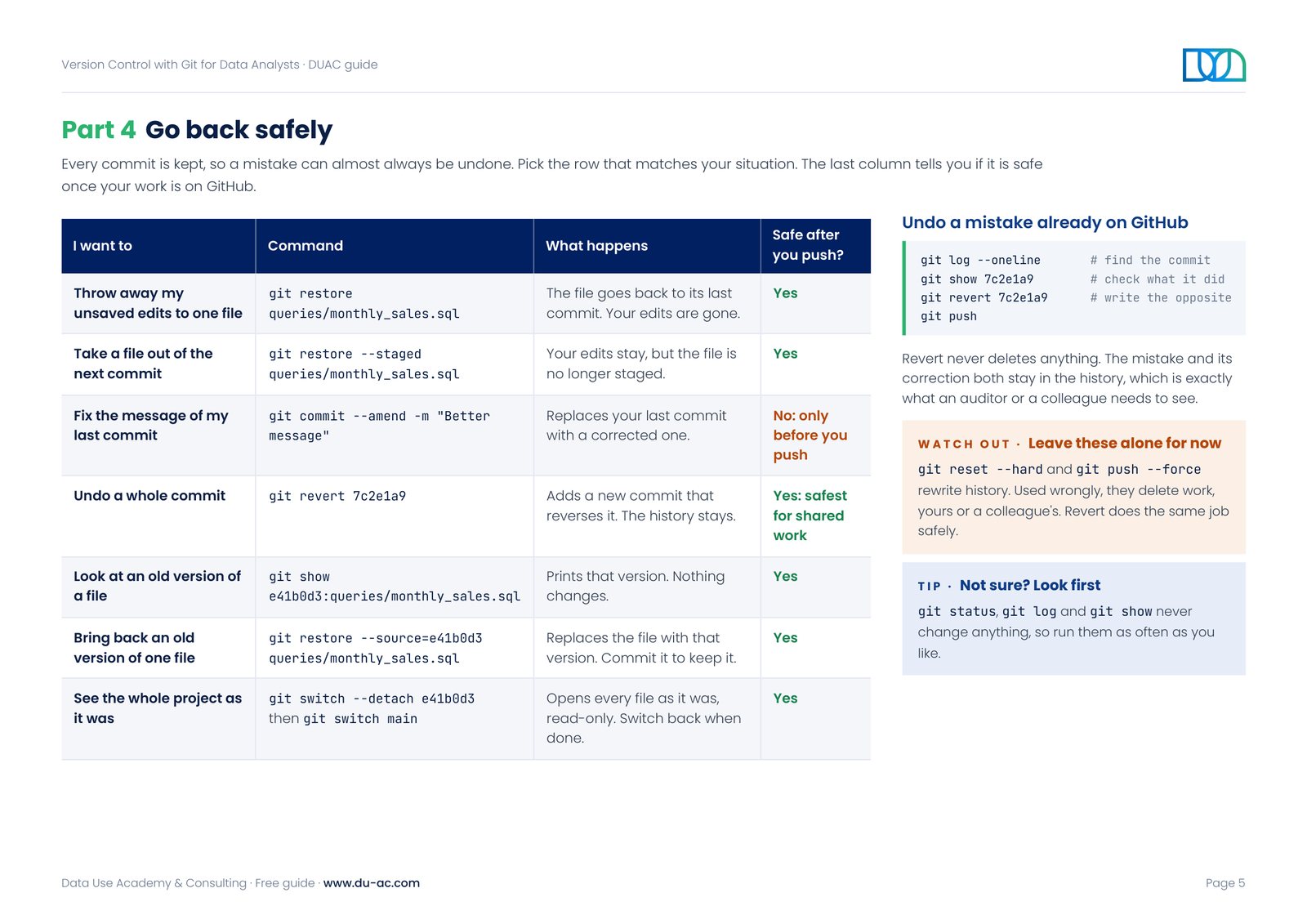
git statusshows what has changed since your last commit.git addchooses which changes go into the next commit.git commit -m "your message"saves a snapshot, with a note explaining it.git pushsends your commits to GitHub.git pullbrings in changes that others have pushed.
If you prefer buttons to typing, GitHub Desktop and Visual Studio Code do the same steps through menus. The ideas are identical, so you can switch between them later.
Habits that make Git useful
- Commit small and often. One commit for one change, such as "Add delay rate by location", is easy to understand and easy to undo. A whole day's work in a single commit is neither.
- Write messages that say why. "Update" tells your future self nothing. "Remove duplicate orders before counting deliveries" tells you everything.
- Pull before you start. When others work on the project too, bring in their changes first, so you always build on the latest version.
- Give each project its own repository. Keep its scripts, documentation and notes together, with a README that explains what the project does and how to run it.
Start this week
You do not need to move every project into Git at once. Pick one small piece of work, such as a set of SQL queries or an R script, and try this:
- Create a free account at github.com.
- Create a repository for the project and upload your files.
- Make one change, commit it with a clear message, and look at the history.
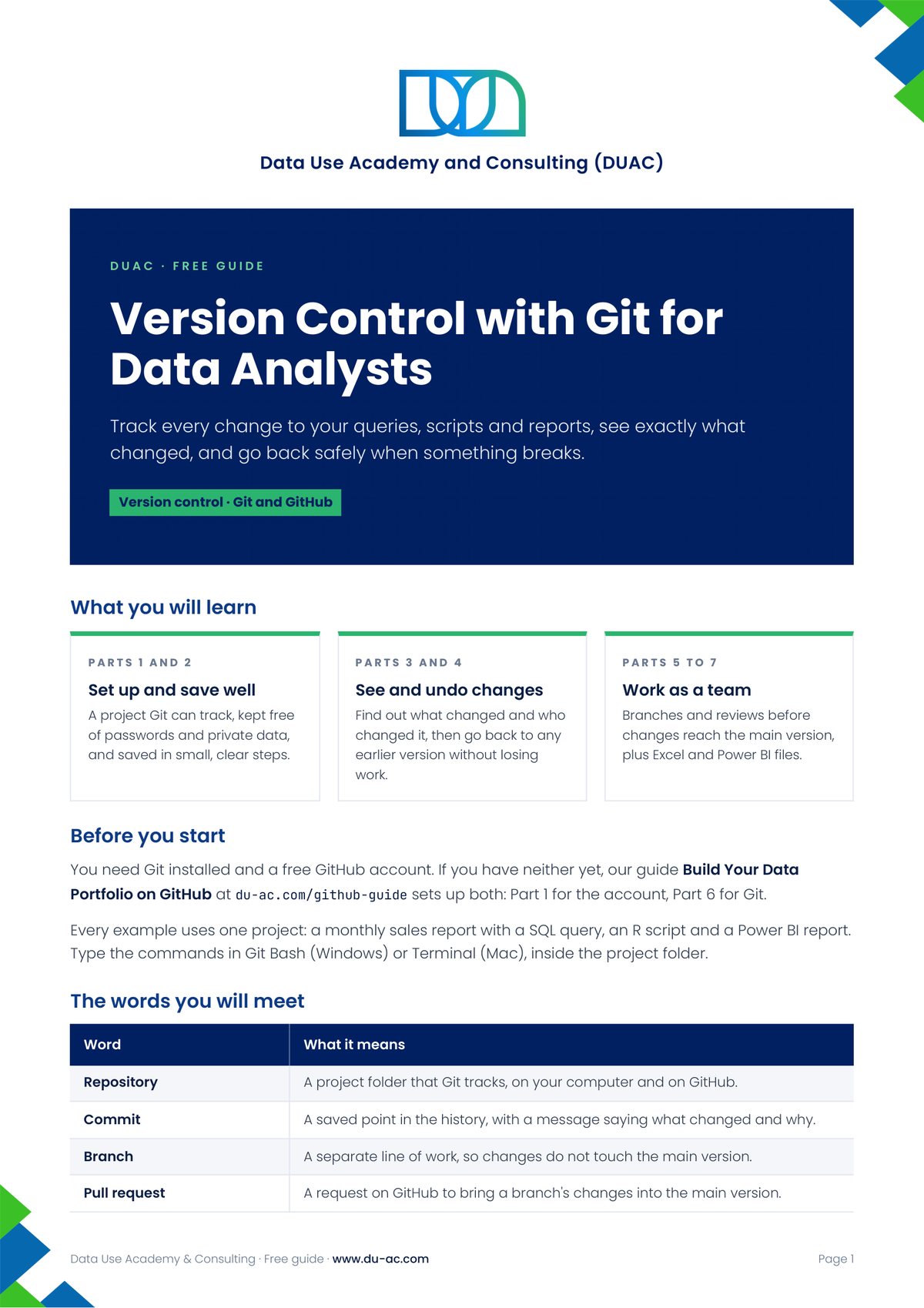
Two free guides take you from here. If you are new to GitHub, Build Your Data Portfolio on GitHub sets up your account and your first project, starting in your web browser with nothing to install: get it at du-ac.com/github-guide. Then Version Control with Git for Data Analysts covers the everyday work: saving in small steps, seeing what changed, undoing mistakes safely and working as a team. You can download it at the end of this article, or at du-ac.com/git-guide.
Version control will not make your analysis right. What it does is make every change visible, explained and reversible, and that makes good analysis far easier to trust.